iPhone
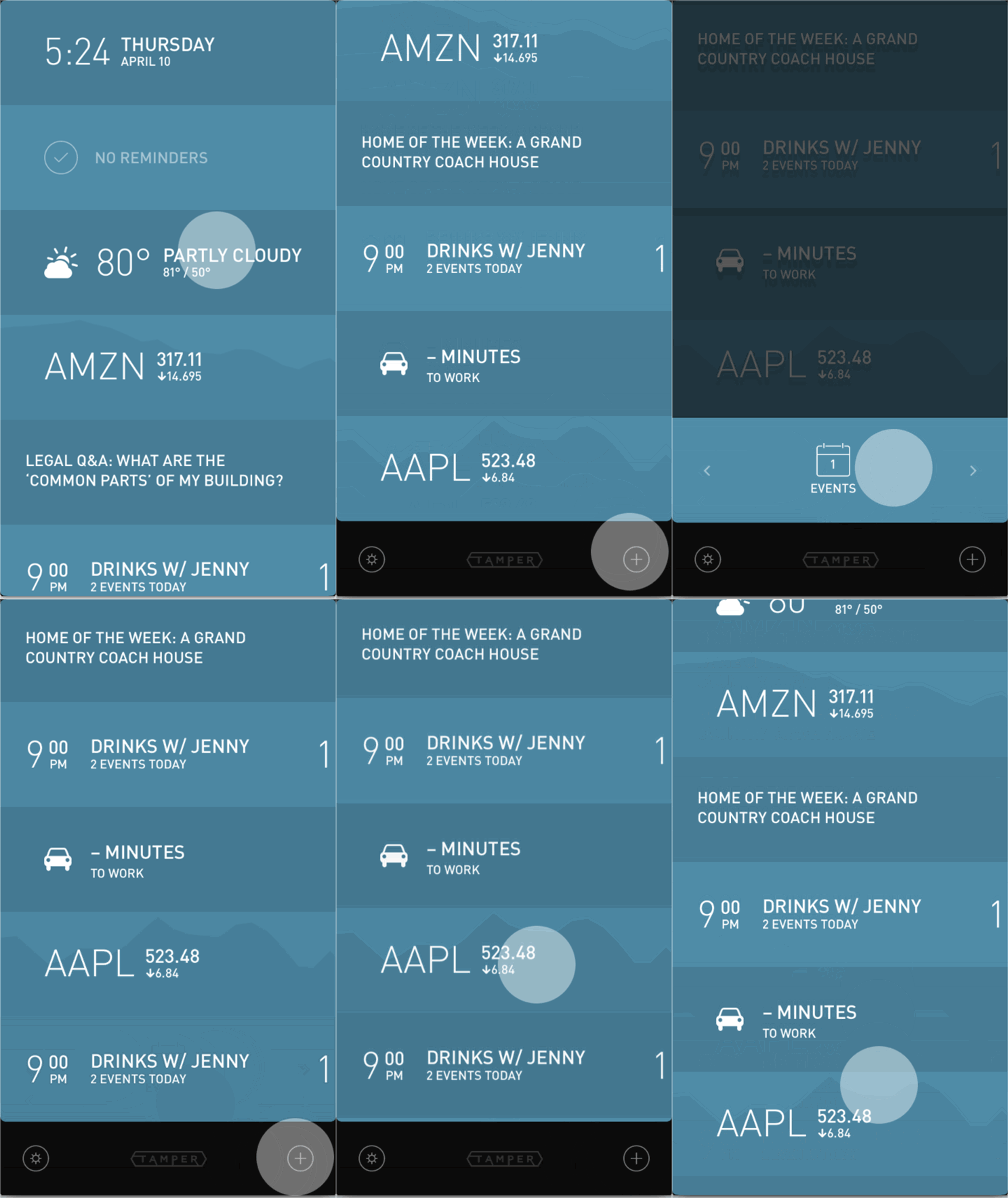
- Scroll down to the + icon and tap it
- Swipe through the available panels
- Tap the one you want or tap elsewhere to cancel adding a panel
iPad
On iPad you cannot add additional panels, only replace a panel. This can be done by:
- Tapping on the panel to bring up the panel's options
- Tapping the plus (+) icon
- Scrolling through the available panels and selecting the one to replace the old panel with