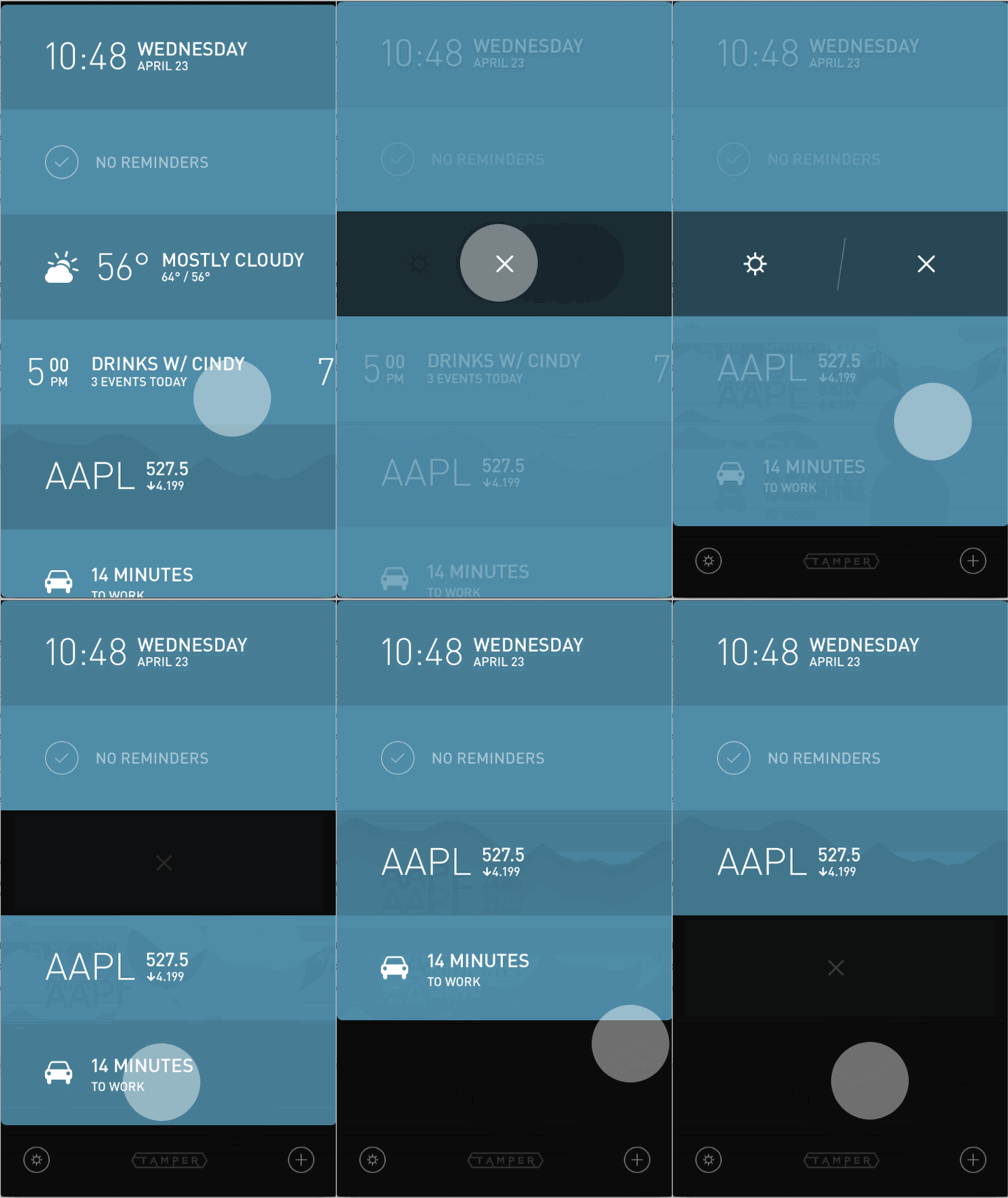
iPhone
- Tap on any panel
- Tap on the X icon
- Tap X again to confirm
iPad
Panels cannot be removed, only replaced. See 'How do I add a panel' to learn how to replace a panel.
iPhone
iPad
Panels cannot be removed, only replaced. See 'How do I add a panel' to learn how to replace a panel.